
Last updated November 23, 2026
A Microsoft 365 intranet is the SharePoint intranet you build in Office 365, now Microsoft 365, and then open in the browser, in Teams, and on a phone. Part One walked through how to build a modern intranet with Office 365 and SharePoint. Part Two is about how that intranet stays organized. Hub sites, a home site, and the SharePoint app in Teams (formerly Viva Connections) are what turn a pile of sites into one intranet. We have been doing this work since 2006, and the organizations that get this right plan the hubs before they design the home page.
If you want help organizing a Microsoft 365 intranet, talk with our SharePoint consulting team.
Key takeaways for a Microsoft 365 intranet in Office 365 and SharePoint
- A Microsoft 365 intranet and an Office 365 intranet are the same idea today. The work lives in SharePoint Online.
- A Microsoft 365 intranet integrates with Office 365 apps in the browser, in Teams, and on a phone.
- Hub sites share navigation and can roll up news and events from the sites underneath them.
- You can create or associate sites from the hub and manage hubs in the SharePoint admin center, including association approval.
- The SharePoint app in Teams, formerly Viva Connections, is powered by a SharePoint home site.
- Governance, site owner training, and permissions matter more after launch than another web part.
What is a Microsoft 365 intranet in Office 365 and SharePoint?
When people search for an Office 365 intranet or a Microsoft 365 intranet, they mean the same thing now. Office 365 was renamed Microsoft 365. SharePoint Online is where the pages, news, and document libraries live. A Microsoft 365 intranet integrates with those Office 365 apps in the browser, in Teams, and on a phone. The intranet is not a separate product you buy on top of Microsoft 365, though you can extend it with custom web parts and Power Platform apps when a form or a process needs more than a page.
A good Microsoft 365 intranet has a home site, a small number of hubs, and clear owners. It also has a plan for what should not live there. Team working files often belong in a team’s SharePoint site or in OneDrive, not on the company home page.
We have built this kind of intranet for corporate offices, manufacturing plants, and nonprofits, among other organizations. The stack is SharePoint Online, often with Microsoft Forms, Power Apps, and Power Automate when the intranet needs requests and alerts, not only articles. You can see that pattern in our corporate intranet in SharePoint Online and our manufacturing intranet.
How SharePoint hub sites organize a Microsoft 365 intranet
Microsoft’s hub site planning guidance is still the right starting point. A hub connects related sites so they share navigation and can roll up news and events. You might have a company hub, a department hub, or a location hub, and sometimes all three. The mistake we still see is a hub for every team. That creates another tree people have to learn.
Here is what you can do with hubs on a Microsoft 365 intranet today.
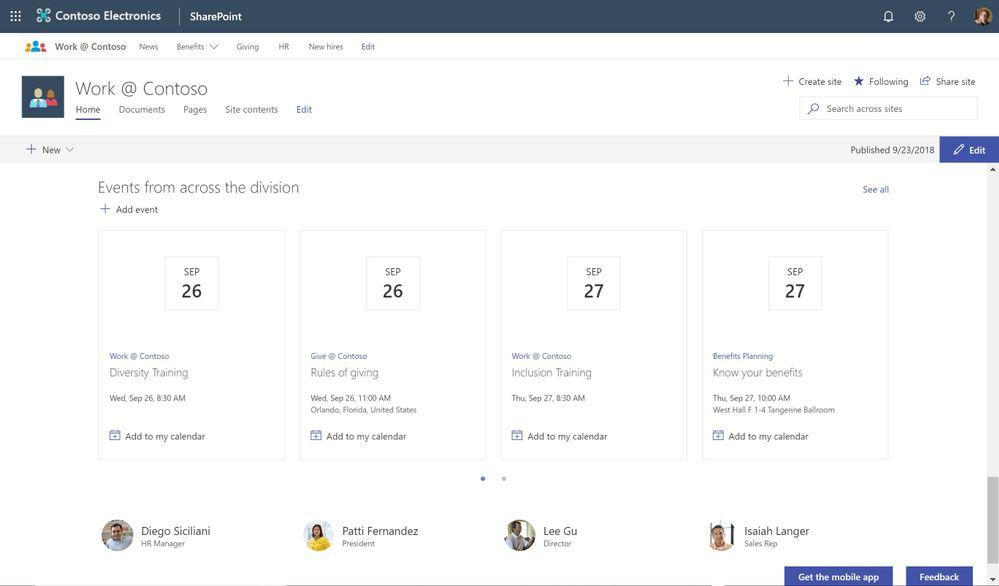
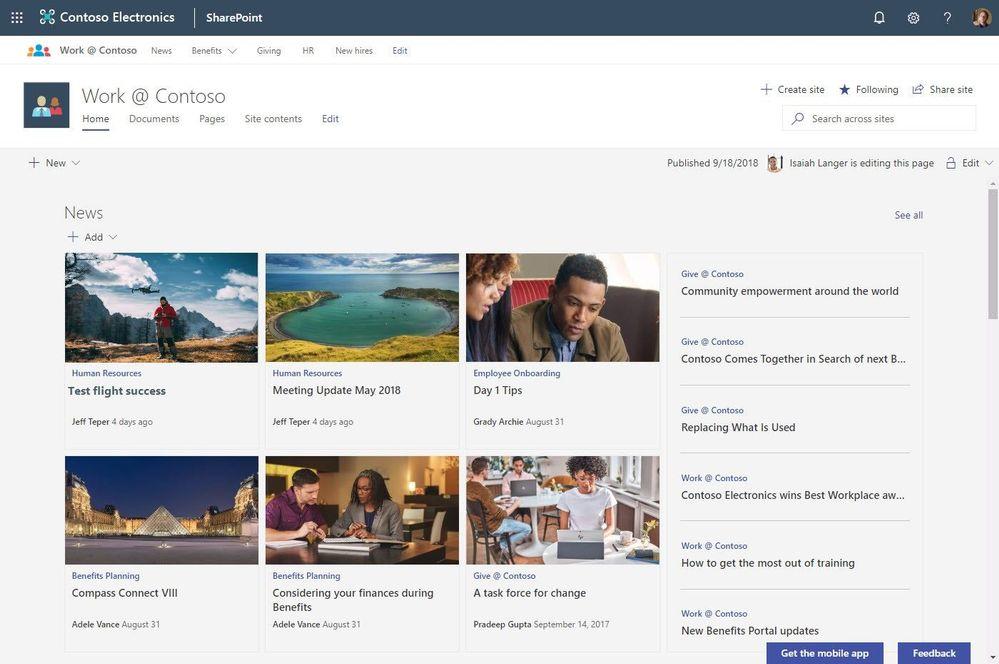
Roll up news and events from associated sites to the hub, so a department home page can show what is happening across its sites.
Create a new associated site from the hub so the site joins that hub from the start.
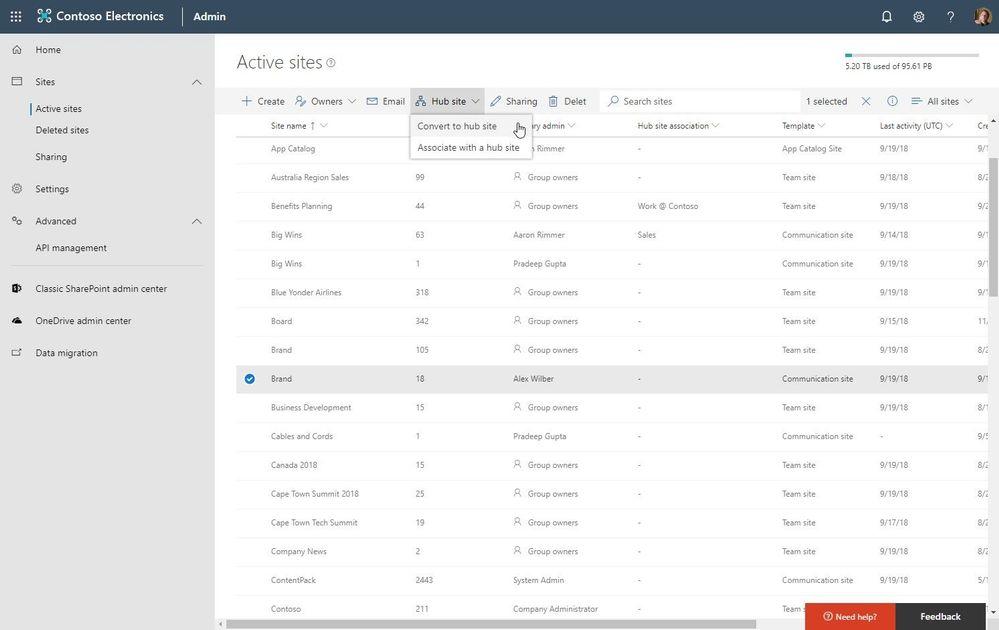
Create hubs, associate or disassociate sites, and report on hubs from the SharePoint admin center.
Use association approval when you want hub owners to accept a site before it joins.
None of that replaces permissions. Associating a site with a hub does not give everyone in the hub access to that site’s files. You still have to design sharing on purpose, especially if you plan to use Microsoft 365 Copilot. Our guide to SharePoint oversharing before a Copilot rollout covers why that cleanup has to happen first.
The SharePoint app in Teams, Viva Connections, and mobile access to a Microsoft 365 intranet
Microsoft now calls the Teams intranet experience the SharePoint app in Teams. Many people still look for Viva Connections, and existing Connections setups keep working. The app is powered by a SharePoint home site, which is a communication site you designate as the organization’s landing site. From Teams, people can reach news, a dashboard of useful cards, announcements, and curated resources, including on a phone.
That is often the real front door of a Microsoft 365 intranet, because that is where the work already is. Plan the home site and the Teams app together, not as a later add on.
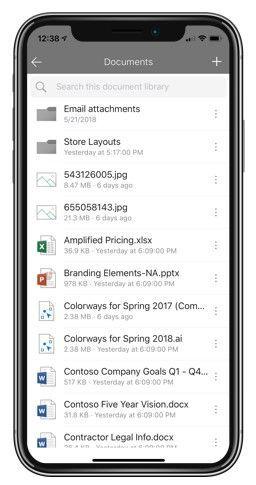
The SharePoint mobile app is still useful when someone needs a library, news, or a site they do not open from Teams. News posts on modern pages can include comments and mentions. Do not treat mobile as a second project. If plant or field staff will use this, test the home page and the key forms on a phone before you call the intranet done. Our manufacturing intranet work was built with that in mind.
How to choose a Microsoft 365 intranet partner
The partner question for a Microsoft 365 intranet is less about a nice home page and more about whether someone can organize the sites, the hubs, and the ownership so the intranet is still accurate a year from now.
Ask whether the partner
- Makes SharePoint, Teams, and Microsoft 365 its core work. ESW has done this since 2006, with teams across the US, 1,500+ clients, and 1,000+ projects delivered.
- Will design hub architecture and a home site, not only a visual theme.
- Will train site owners and help you decide who approves organization news and hub associations.
- Has delivered intranet work you can look at, such as our corporate intranet, manufacturing intranet, and nonprofit SharePoint intranet examples.
- Can stay with you after launch through SharePoint support when the first new department site needs to be added.
If you are planning a Microsoft 365 intranet, talk with our SharePoint consulting team or schedule a meeting. If you are moving content from file shares or an older farm first, see our SharePoint migration services.
FAQs about a Microsoft 365 intranet in Office 365 and SharePoint
What is a Microsoft 365 intranet?
A Microsoft 365 intranet is a SharePoint Online intranet in your Microsoft 365 tenant. It usually includes a home site, hub sites, news, and department or location sites, and people often open it in Microsoft Teams as well as in a browser. It is the current name for what many people still call an Office 365 intranet.
Is an Office 365 intranet different from a Microsoft 365 intranet?
No. Office 365 was renamed Microsoft 365. An Office 365 intranet and a Microsoft 365 intranet both refer to a SharePoint intranet in that cloud tenant. The useful distinction is not the old product name. It is whether you are using modern SharePoint sites, hubs, and the SharePoint app in Teams, or still running a classic site that was never rebuilt.
What happened to Viva Connections on a Microsoft 365 intranet?
Microsoft now calls that Teams experience the SharePoint app in Teams. It is still powered by a SharePoint home site, and existing Viva Connections setups keep working. If you are planning a Microsoft 365 intranet today, design the home site and the Teams app together so people can reach news and resources where they already work.
How do SharePoint hub sites help a Microsoft 365 intranet?
Hub sites connect related sites so they can share navigation and roll up news and events. You can create associated sites from a hub and manage hubs in the SharePoint admin center, including an approval step before a site joins. A small number of well chosen hubs organizes a Microsoft 365 intranet. A hub for every team usually does the opposite.
How does a Microsoft 365 intranet integrate with Office 365 apps?
A Microsoft 365 intranet integrates with Office 365 apps in the browser, in Microsoft Teams, and on a phone. SharePoint Online holds the pages, news, and libraries. People often open it in Teams through the SharePoint app in Teams, formerly Viva Connections, which is powered by a SharePoint home site. The SharePoint mobile app is still useful for a library or news they do not open from Teams.
If you are ready to organize the intranet, contact ESW or schedule a meeting. Part One of this series covers how to build a modern intranet with Office 365 and SharePoint, including site types, news, navigation, and audience targeting.
Sources
- Plan SharePoint hub sites (Microsoft Learn)
- Overview of the SharePoint app in Teams (Microsoft Learn)
- Plan, build, and launch a SharePoint home site (Microsoft Learn)
- SharePoint mobile app (Microsoft)
- Create and use modern pages on a SharePoint site (Microsoft Support)
- Control notifications in the SharePoint mobile app (Microsoft Learn)