
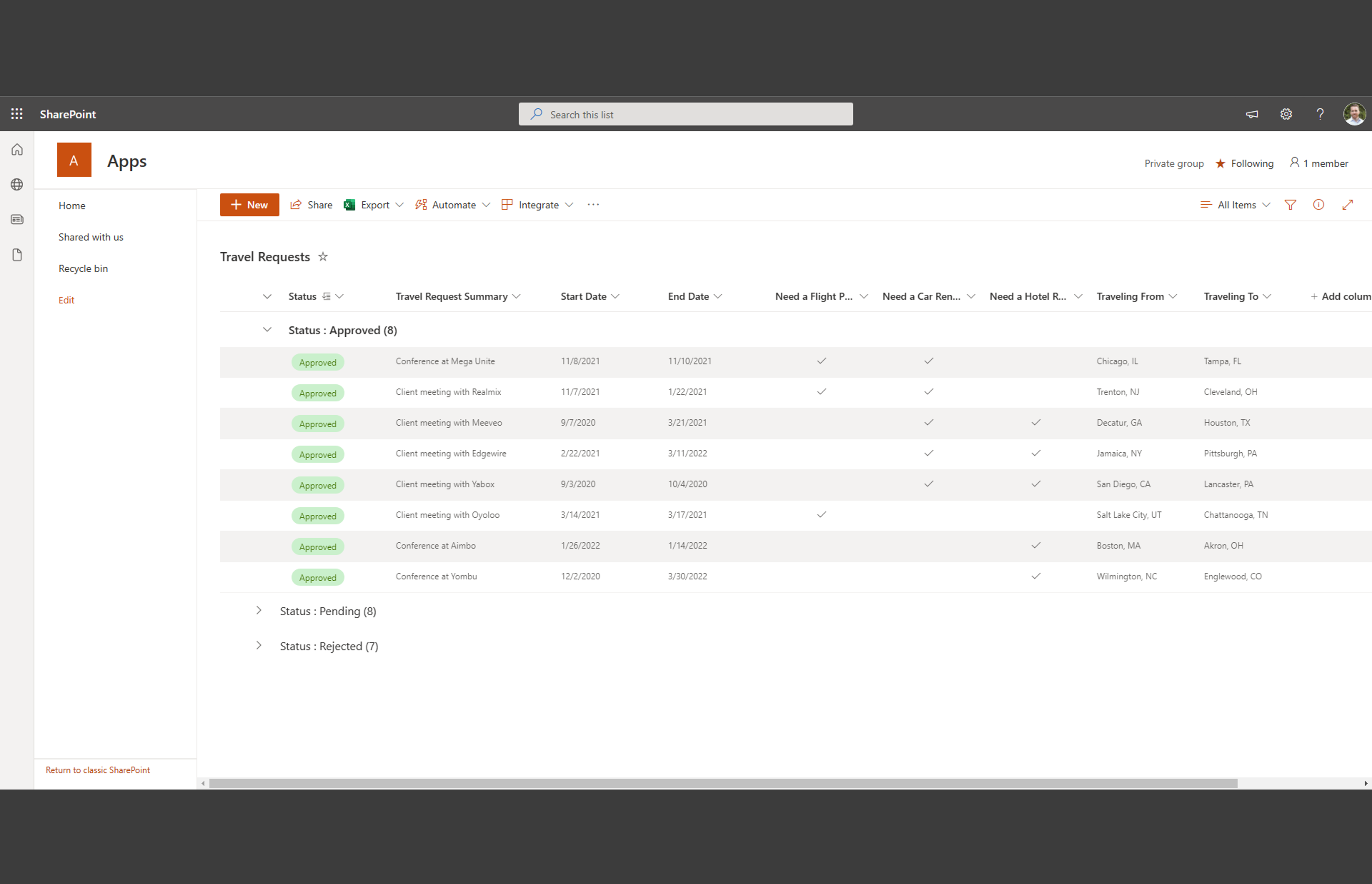
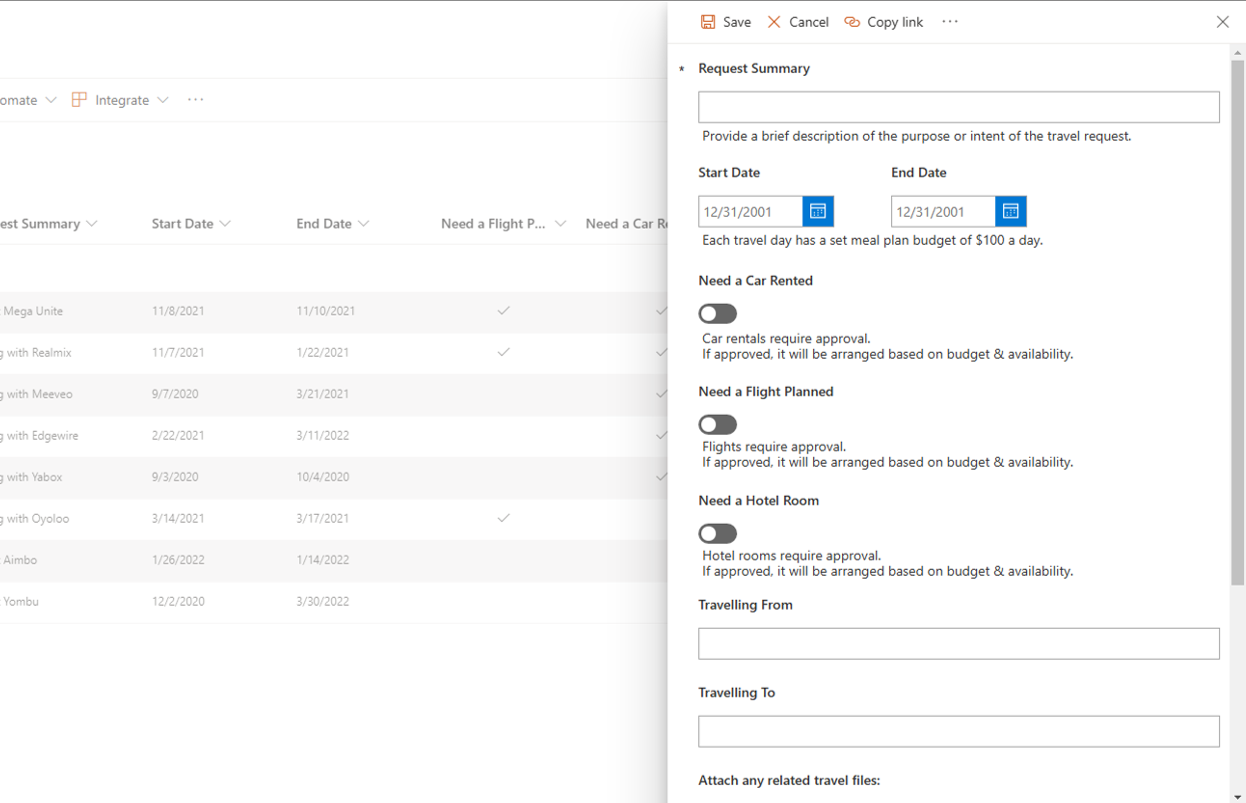
Travelling for companies can be a hassle. Getting all the proper approvals and tracking those approvals for audit and financial purposes feels like a chore without the right app in place. Email is too light and not organized enough. Other systems are too complex or burdensome. This is where finance travel requests in SharePoint Online come into play.
Travel requests need to have an easy, intuitive way of submitting and tracking. Those requests need to be routed for approval, coordination and routing. Office 365 and SharePoint Online have you covered.
Technologies Used
- Tracking travel requests using SharePoint Online
- Notifications and approvals using Power Automate
Why We like This Finance Travel Request in SharePoint Online Example
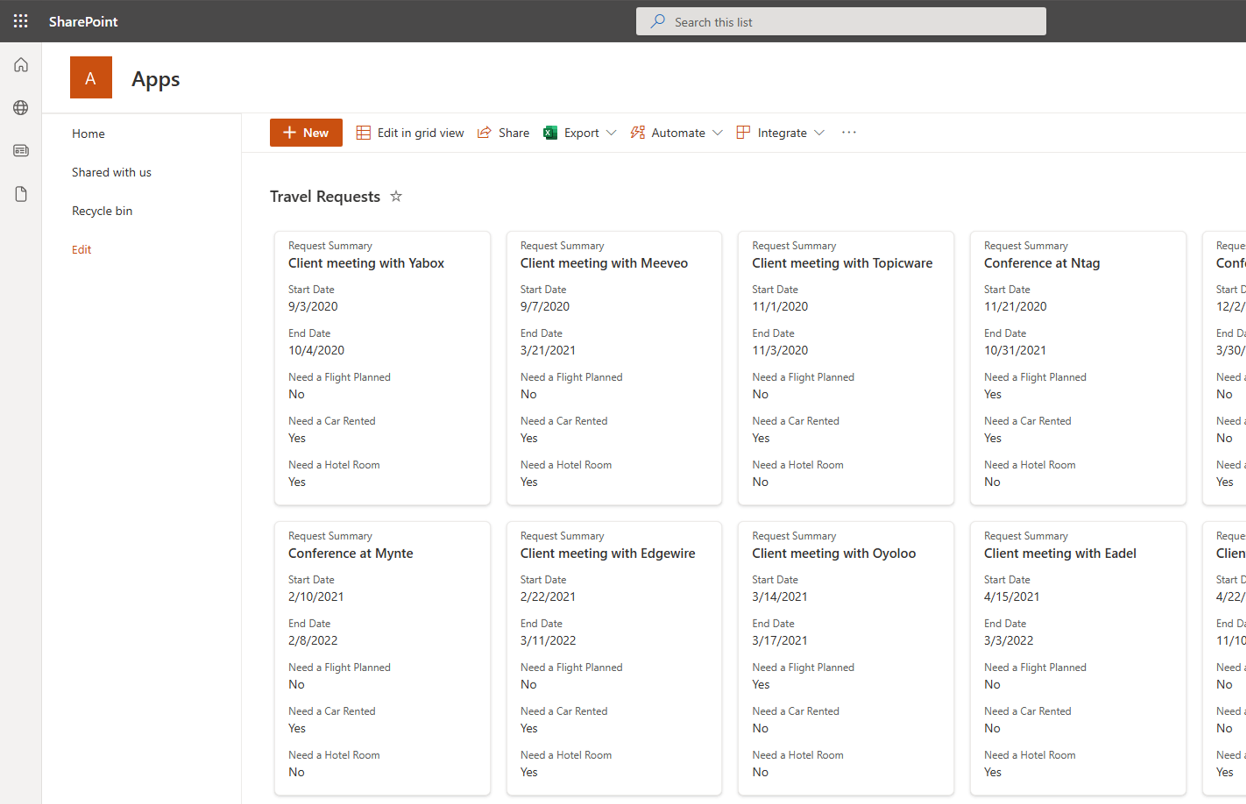
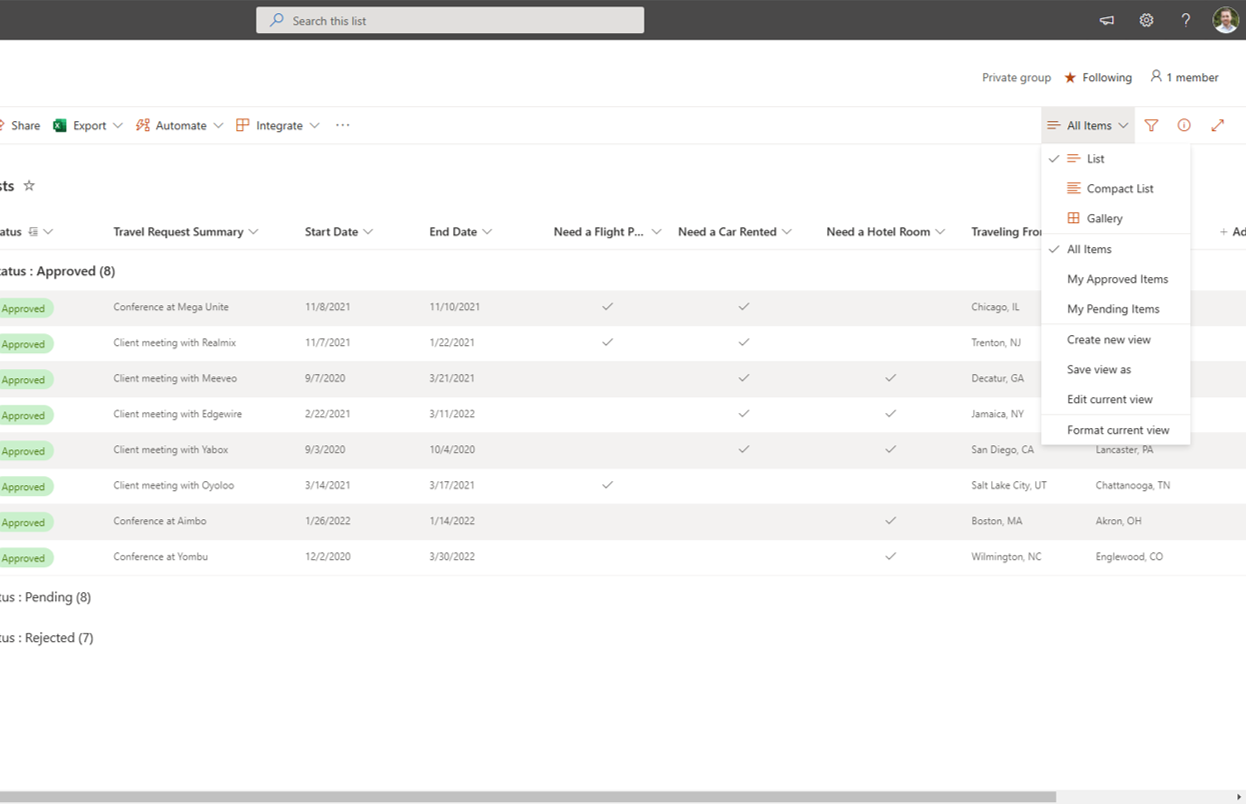
SharePoint Online is a web based tool meaning people can submit requests from anywhere that has an internet connection. Many financial people are on the go and need to be able to submit requests as easily as an email. Using SharePoint to store travel requests means fields can be easily tailored to match your exact business needs. It also has a great baseball card style for displaying itineraries at a quick glance. Multiple views can be setup to personalize travel requests for past and upcoming travel events.
Additionally, Power Automate can be used to send requests for approval and coordination. Normally a manager approves travel, then an assistant will coordinate the details of that request and their costs. Lastly those costs are reviewed and approved by the finance team to ensure the costs are within the current planned budget. This is all seamlessly handled by Power Automate to accurately track finance travel requests in SharePoint Online.
Ready to make travel requests easy in SharePoint Online?
Check Out Our Other SharePoint Examples

Industry: Technology / Software Users/Teams: Financial Planning & Analysis (FP&A), Department Contributors Technology Stack: Microsoft Excel: Standardized and protected calculation engines with data validations and named ranges. Power Query: Automated master data consolidation with auto-refresh, variance checks, and drill-down pivot reports. SharePoint: Governance platform managing permissions, access reviews, and audit logging. VBA (digitally signed macros): […]

Securing and Modernizing a Defense Contractor on Microsoft 365 GCC High Client: US Defense ContractorIndustry: Defense Summary A fast-growing defense contractor, that acquires other companies, handling sensitive programs, asked eSoftware Associates to solve three problems at once: unify content in Microsoft 365, harden and simplify device management for a distributed workforce, and eliminate manual, error-prone […]
Have you considered Internet software for your non-profit organization? Having this software for knowledge management and document libraries can streamline your business processes and allow you to help more people. For such custom workflows, what makes a tremendous non-profit SharePoint Intranet? We have all the answers. Data And Document Standards For Non-Profit Organizations All companies […]