
By Russell Kommer, CEO of eSoftware Associates (ESW). Last updated October 24, 2026
Your Copilot licenses are ordered. Leadership wants a pilot next month. Then someone asks what happens if payroll folders, bid files, or HR sites are already shared too widely. That’s the real Copilot security question for most Microsoft 365 tenants. Microsoft 365 Copilot doesn’t invent new access. It makes the access you already gave people easy to find.
Key takeaways
- Microsoft 365 Copilot only surfaces content the signed-in user can already open, so existing oversharing becomes the exposure.
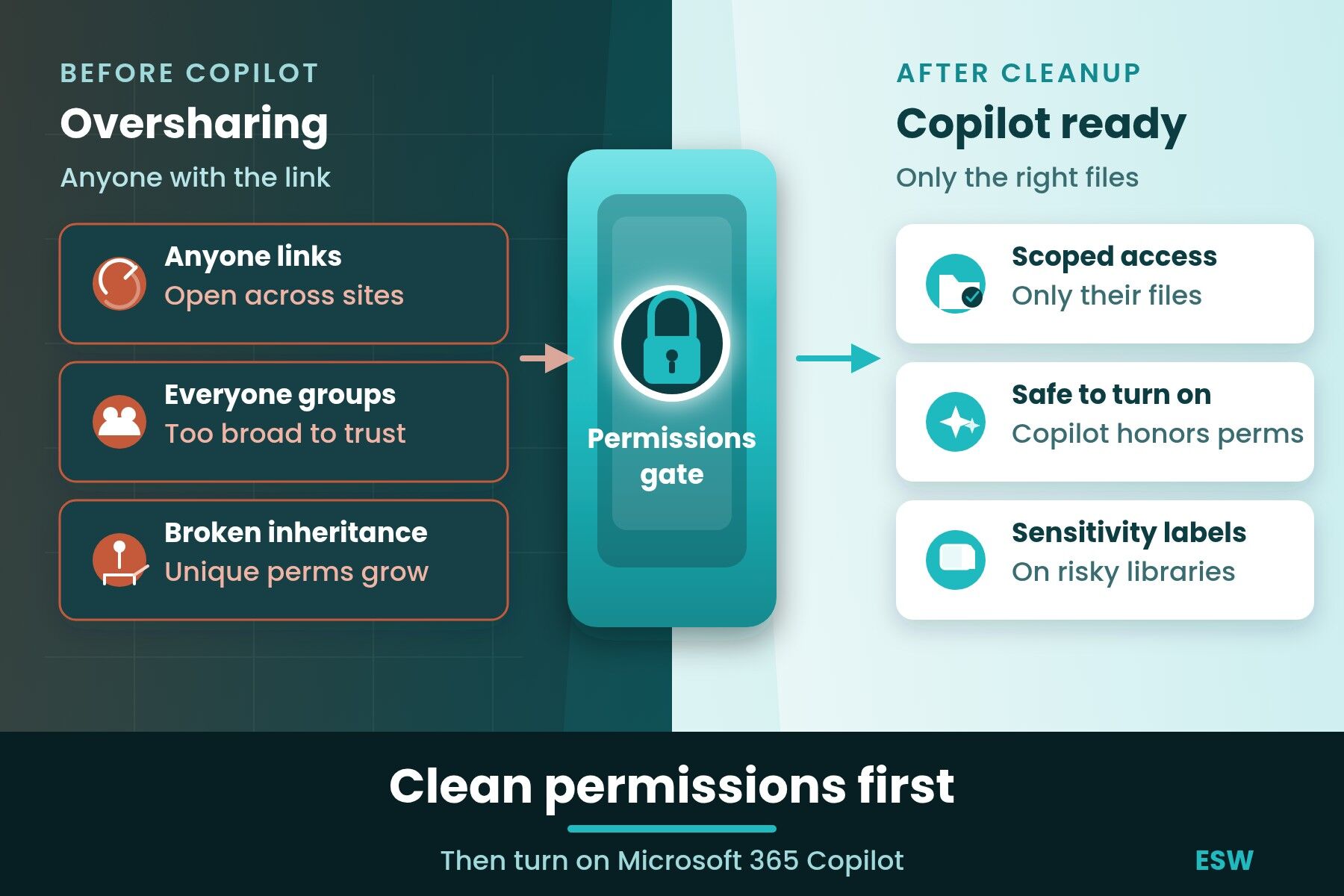
- Do not turn Copilot on for a pilot group until sharing links, Everyone access, and broken inheritance are cleaned for that group’s sites.
- Run SharePoint data access governance reports, then send site access reviews to owners who know the content.
- Sensitivity labels and Restricted Content Discovery buy time. They do not replace fixing permissions.
- Start with an AI readiness assessment if you need a go or no-go list before licenses go live.
This post is about SharePoint oversharing and permissions cleanup before user rollout. It’s not about Copilot Credits, Copilot Studio agent billing, or autonomous agent cost governance. We cover that in our post on autonomous Copilot Studio agents, governance and costs. For classic SharePoint permission how-to without the Copilot angle, see our guide to managing SharePoint permissions.
How do I stop Microsoft 365 Copilot from showing people files they shouldn’t see?
Stop oversharing first. Microsoft 365 Copilot only retrieves content the signed-in user already has permission to access, per Microsoft’s Copilot data protection architecture. It doesn’t create new rights. If a file is shared with the whole company, Copilot can surface it to anyone who asks a related question.
In practice we treat that as a go or no-go gate. Clean sharing links, company-wide groups, and broken inheritance for the pilot scope before anyone in that group gets a license. Temporary blocks like Restricted Content Discovery help while you clean. They’re not the cleanup.
Is Microsoft 365 Copilot secure for business?
Microsoft 365 Copilot is as secure as the permissions and labels underneath it. Microsoft designed it to honor existing Microsoft 365 access controls and Purview protections. The product isn’t the weak point we see most often. The weak point is years of Anyone links, “Everyone except external users” grants, and Teams-connected sites that grew without an owner watching who joined.
One naming note, because search mixes the two up. Microsoft 365 Copilot is the assistant inside Word, Excel, Outlook, Teams and the browser that works with your work content. Microsoft Security Copilot is a separate security product for defenders. This post is only about Microsoft 365 Copilot and SharePoint data exposure.
So yes, it can be secure for business when you clean permissions before rollout. Rolling it out on a messy tenant is how confidential content shows up in someone else’s chat.
How can data oversharing happen on SharePoint?
Oversharing happens when files or sites are shared more broadly than the business needs. The usual patterns are Anyone links, links scoped to the whole organization, membership in large Microsoft 365 groups, and libraries or folders with unique permissions that no longer follow the parent site.
That last one is broken inheritance. A library or folder gets its own permission set, then people keep granting access at the item level for years. At tenant scale it’s hard to audit by hand. Teams-connected sites add another twist. Channel membership can quietly expand who can reach the files behind the team.
We also see ownerless or inactive sites that still hold contracts, pricing, or HR content. Nobody owns the cleanup, so the sharing stays until Copilot makes it obvious.
How do organizations prevent oversharing before a Copilot rollout?
Organizations prevent oversharing before Copilot by auditing the worst exposure, fixing permissions with site owners, then limiting the pilot to cleaned sites. Microsoft’s own secure and governed data foundation for Copilot follows the same order. Fix oversharing, then set guardrails.
Here’s the checklist we use for pilot scope.
| Check | Where it lives | What “done” looks like |
|---|---|---|
| Sharing links and Anyone or organization-wide links | SharePoint admin center, Reports, Data access governance | High-risk links removed or rescoped to named people or groups |
| Everyone and company-wide group grants | Same reports, plus site permissions | Those grants gone from pilot sites unless leadership accepts the risk in writing |
| Broken inheritance on libraries and folders | Site settings and site content assessments | Unique permissions reviewed, trimmed, or restored to parent where safe |
| Teams-connected sites in the pilot | Teams admin and SharePoint site membership | Channel and site membership match who should see the files |
| Sensitivity labels on high-risk libraries | Microsoft Purview Information Protection | Labels published and applied on the content Copilot will touch first |
| Pilot group membership | Entra ID and license assignment | Licenses only for users whose primary sites passed the checks above |
Run the SharePoint data access governance reports first. Then send site access reviews to owners. Owners know which folders are still needed. IT usually doesn’t. Restricted Content Discovery can keep a sensitive site out of Copilot and organization-wide search while cleanup runs. Restricted Access Control can limit a site to an allow-list group. Both are stopgaps. Fix the permissions underneath, then remove the temporary control.
For day-to-day permission design after cleanup, use our SharePoint permissions best practices. For Purview and Defender product context, see our comparison of Microsoft 365 security tools.
What is SharePoint governance and why does Copilot make it urgent?
SharePoint governance is the set of ownership, permission, lifecycle and sharing rules that keep sites usable and shared with the right people. Without it, sites multiply, owners leave, and access drifts. Copilot doesn’t change that model. It raises the cost of ignoring it, because a broad share that sat quietly for years can now answer a question in seconds.
We don’t treat governance as a binder on a shelf. For Copilot readiness it means named owners on pilot sites, defaults that block Anyone links where the business doesn’t need them, and a repeatable review of oversharing reports. Our SharePoint consulting team builds that into intranet and migration work so departments can keep it going after we leave.
How to get ready for Microsoft 365 Copilot?
Get ready by cleaning permissions and labels for a defined pilot, then expanding. A full readiness assessment covers more than this post. Data quality, use cases, champions and training all matter. Permissions are the gate we refuse to skip.
If you want a structured review of what Copilot will reach before licenses go live, start with our AI readiness assessment. For hands-on rollout and agents after the gate is clear, talk to our Microsoft Copilot consulting and Copilot and AI agents teams.
What does this look like on a real project?
On SharePoint and Copilot roadmaps for construction and industrial groups, we put permissions cleanup ahead of prompts and champions. The pattern is the same each time. Map the sites the pilot will actually use, pull oversharing and sharing-link reports, and fix the worst grants with site owners before anyone asks Copilot a work question. Skipping that step is how a bid file or safety manual ends up in the wrong chat.
On a defense contractor migration to Microsoft 365 GCC High, we moved content off Box into a governed SharePoint structure and brought devices under Intune. A migration is the moment permissions either get cleaned or get copied forward. We clean them. Copying broad shares into a new tenant just moves the Copilot problem with you.
The same rule applies on a pilot or a migration. Fix sharing before Copilot can reach that content.
Frequently asked questions
Does Microsoft 365 Copilot respect SharePoint permissions?
Yes. Microsoft 365 Copilot only works with content the signed-in user already has permission to access. It doesn’t grant new rights. That’s why oversharing matters so much before rollout. If a sensitive library is shared with everyone in the company, Copilot can surface it to anyone who asks a related question. Cleaning permissions and applying sensitivity labels before licenses go live limits what Copilot can draw from.
How do I stop Microsoft 365 Copilot from showing people files they shouldn’t see?
Audit oversharing on the sites your pilot will use, then fix sharing links, company-wide grants and broken inheritance with site owners before you assign licenses. Use SharePoint data access governance reports and site access reviews to find the worst exposure. Restricted Content Discovery can hide a site from Copilot while you clean it. Remove the temporary block once permissions are right-sized.
How can data oversharing happen on SharePoint?
Oversharing happens when sites or files are shared more broadly than the business needs. Common causes include Anyone links, organization-wide links, large Microsoft 365 group membership, Teams channels that grew without review, and libraries or folders with unique permissions that no longer follow the parent site. Ownerless and inactive sites often keep old broad grants long after the project ended.
What are sensitivity labels and how do they affect Copilot?
Sensitivity labels are Microsoft Purview classifications that travel with content and can carry encryption and access rules. Copilot can only use labeled content the user is allowed to open, and encrypted files need the right usage rights. Labels help control what Copilot can ground on, and they support DLP policies that block Copilot from certain content. They work best after you fix the underlying SharePoint permissions.
Should we turn on Copilot before finishing SharePoint permissions cleanup?
No, not for the pilot group. We recommend cleaning sharing links, Everyone-style access and broken inheritance for the sites that group will use, then assigning licenses. Temporary controls like Restricted Content Discovery can cover sensitive sites during cleanup. Turning Copilot on first just advertises whatever oversharing already exists.
How is Microsoft 365 Copilot different from Microsoft Security Copilot?
Microsoft 365 Copilot is the productivity assistant that works with your Word, Excel, Outlook, Teams and SharePoint content under each user’s existing permissions. Microsoft Security Copilot is a separate product built for security operations teams. Search results often mix the two. This article is only about Microsoft 365 Copilot and the SharePoint oversharing risk that shows up when you roll it out.
Get SharePoint permissions cleaned before Copilot goes live
ESW has delivered more than 1,000 projects for over 1,500 clients since 2006, including SharePoint governance, GCC High migrations and Copilot readiness work where permissions come first. Our SharePoint consulting team builds ownership and sharing defaults into intranet and migration work. Our Microsoft Copilot consulting and Copilot and AI agents teams handle rollout once the permissions gate is clear.
If you want a go or no-go list before your pilot, take the AI readiness assessment or contact our team. You can also book an initial meeting directly.
About the author. Russell Kommer is CEO of eSoftware Associates (ESW). Since 2006 ESW has worked with 1,500+ clients, delivered 1,000+ projects and trained 10,000+ employees on Microsoft tools.